The Right View for the Right Role: Rethinking Payroll Dashboards
My role:
UX Research, Visual Design
Project:
Dexter App
Focus Area:
Voice-to-Text AI UI & Workflow
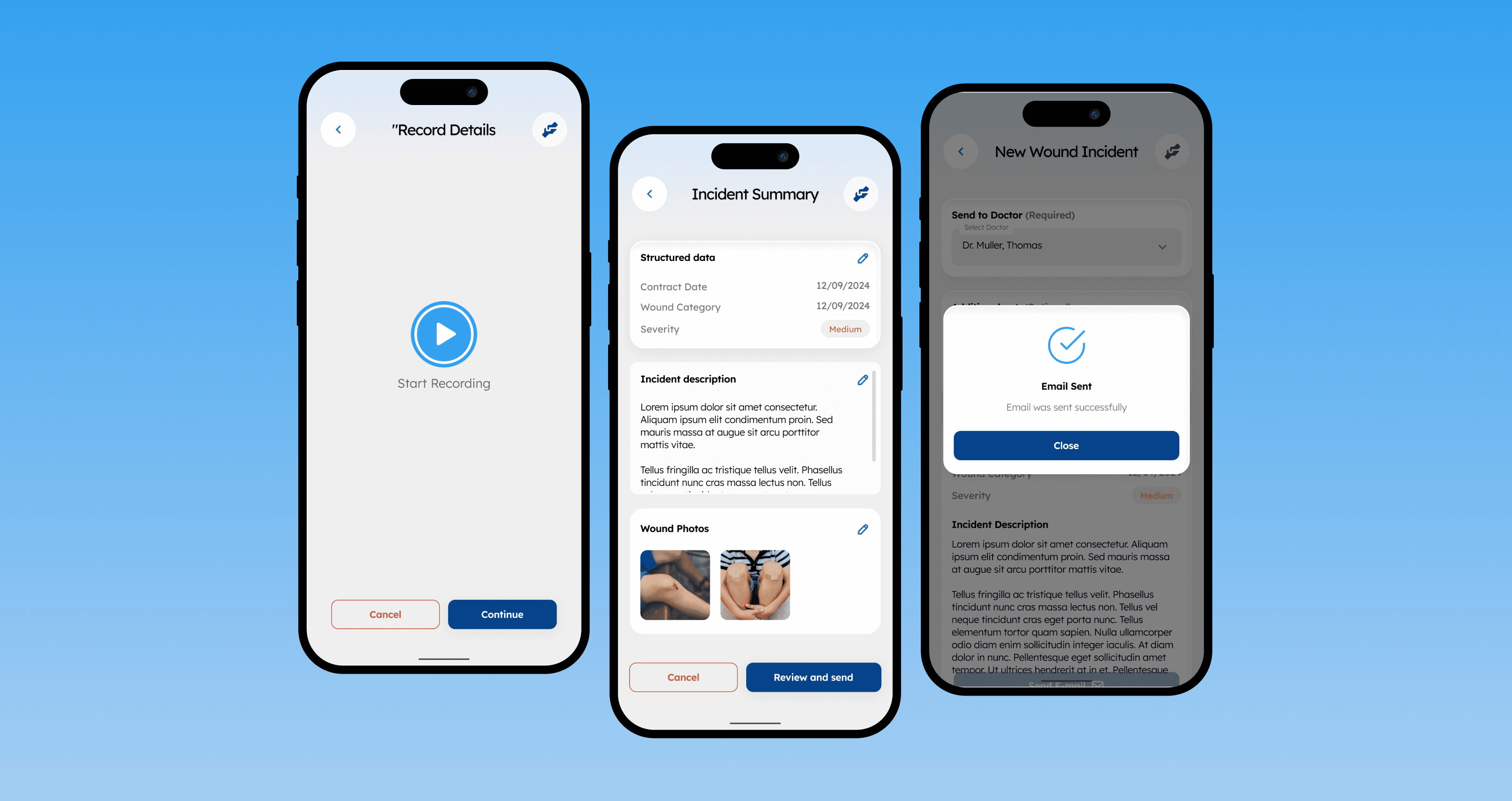
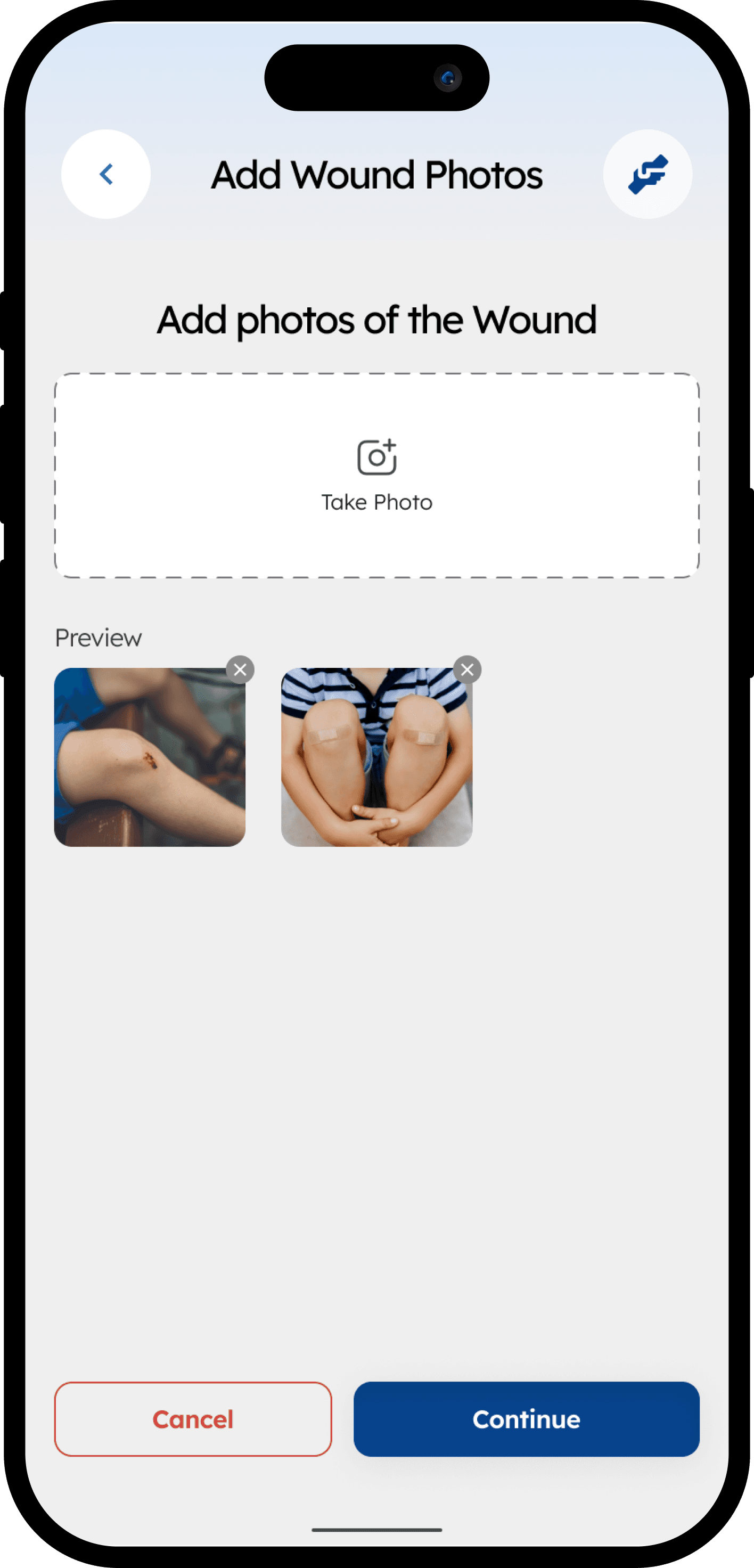
"Dexter" is a healthcare application designed to assist nurses in care homes. The objective was to design a new workflow for documenting resident wound incidents. The critical requirement was to make voice input central to the experience, allowing busy nurses to capture rich descriptive data quickly in a high-pressure environment.
My Role:
My core responsibility as the designer was to ensure that this powerful AI voice feature was not only technically functional but genuinely easy to use and highly accessible. It had to accommodate nurses with varying degrees of technical literacy operating under immense stress, without adding cognitive burden.
Nurses operate under strict time constraints. Traditional typing on mobile devices is slow, error-prone, and takes focus away from the patient.
The design challenge was to integrate AI-driven voice-to-text technology in a way that was faster than typing, inherently trustworthy, and easily reviewable, all while adhering to a strict "under 2 minutes" total workflow constraint and a minimal, clinical aesthetic.
Key Design Principles & Constraints
We approached the voice UI not just as a feature, but as the primary, accessible engine of the workflow.
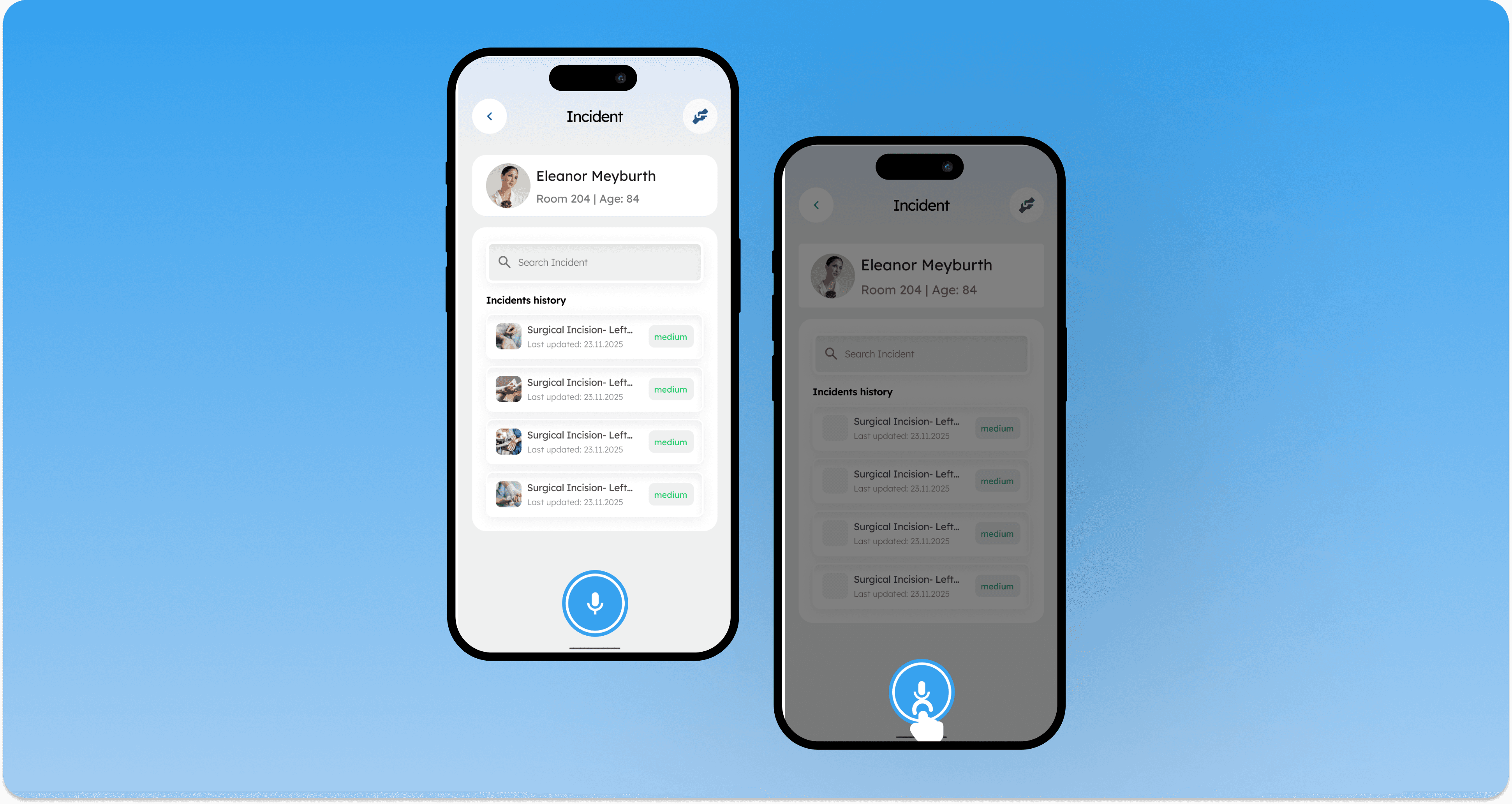
1. The Entry Point: Immediate, Obvious Access
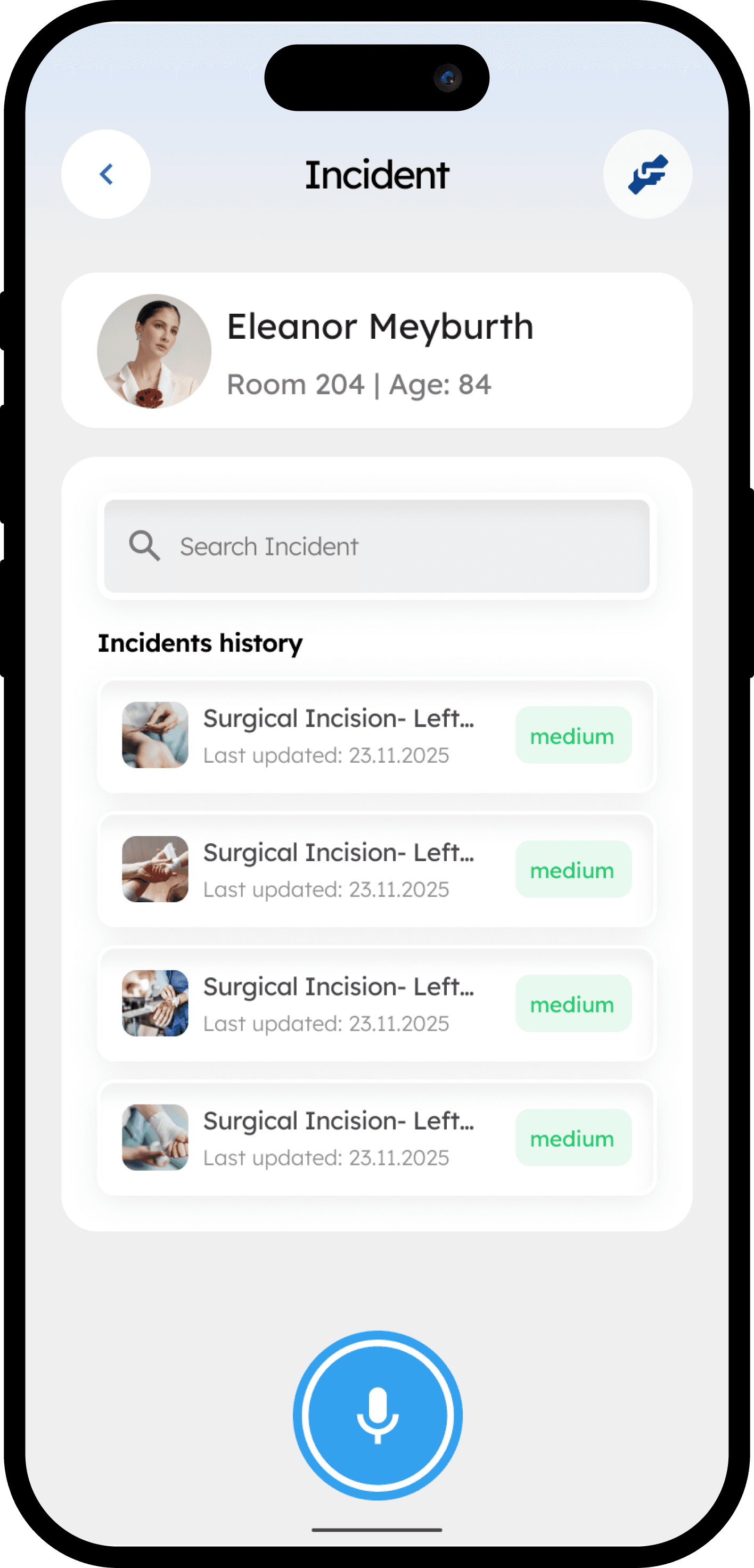
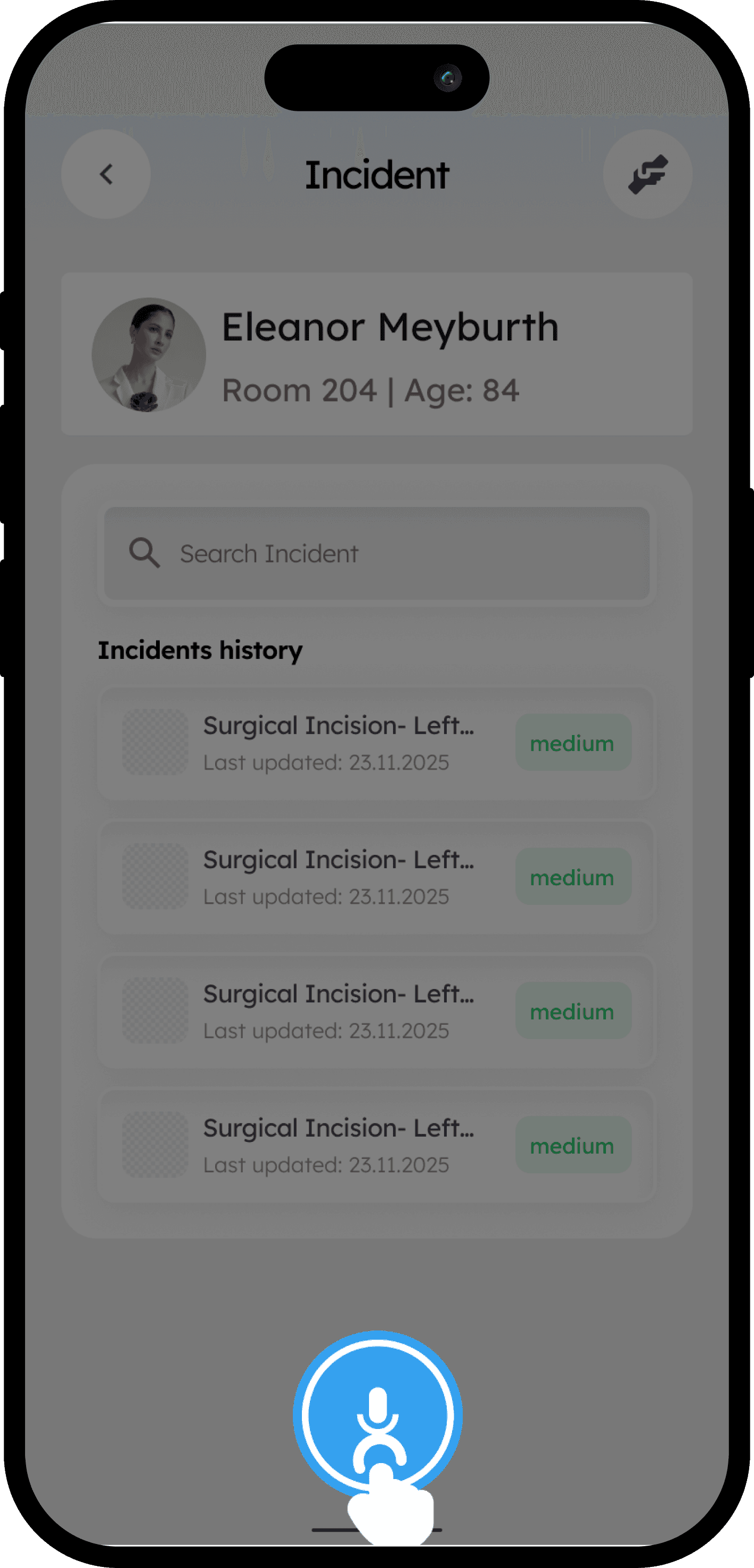
Decision: We implemented a prominent, floating microphone action button (FAB) using universal iconography on the main dashboard, alongside a traditional text-based "New Report" button.
Rationale for Usability: In an urgent situation, accessibility means immediacy. A nurse needs one-tap access (the FAB) without navigating complex menus. Providing both options accommodates different user mental models and tech comfort levels.
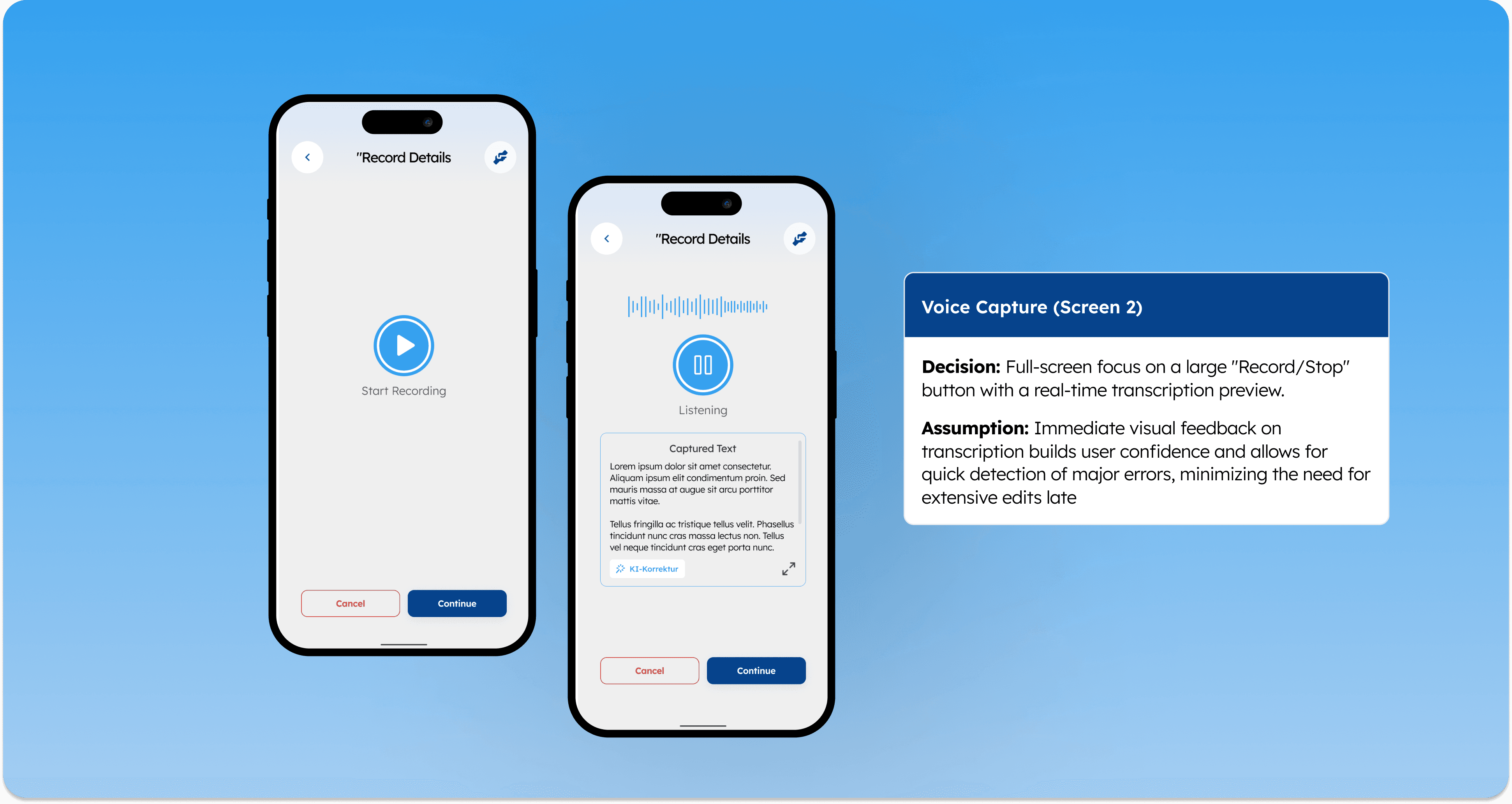
2. The Recording Interface: Real-Time Confidence & Low Cognitive Load
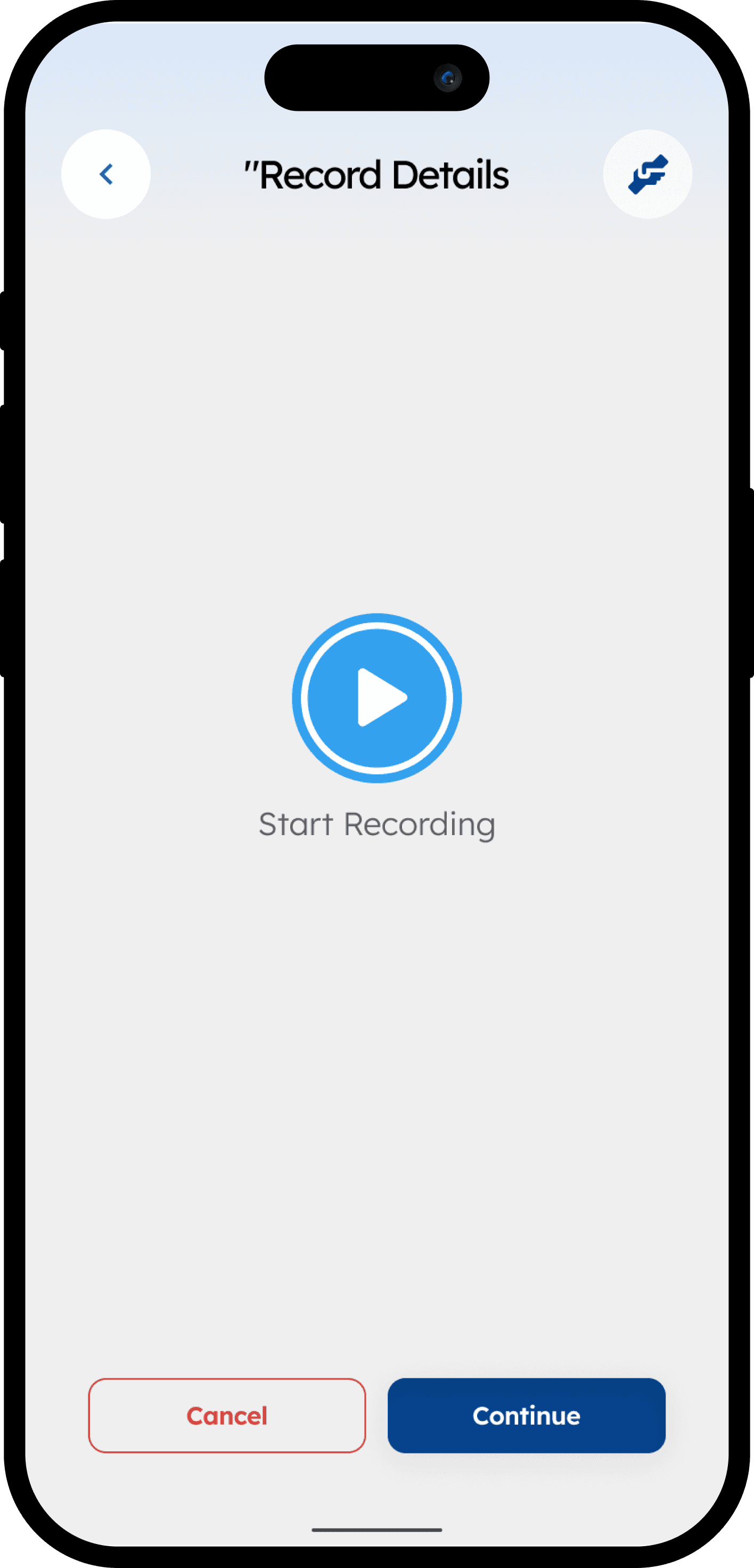
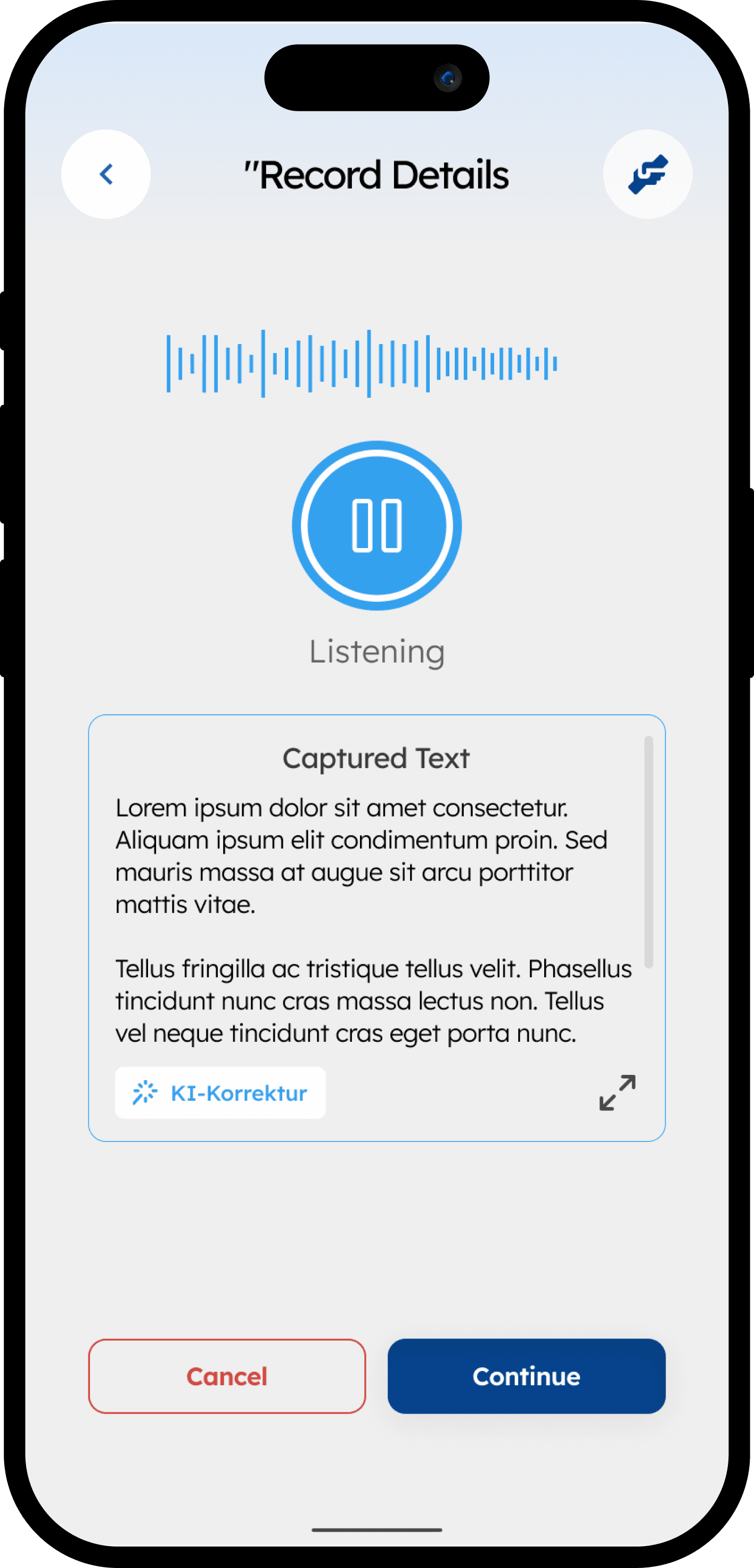
Decision: The recording screen focuses entirely on the task with a large, accessible "Stop" button. Crucially, it displays real-time (or near real-time) transcription as the nurse speaks.
Rationale for Usability:
Building Trust & Reducing Anxiety: Seeing the text appear instantly assures the nurse that the system is "listening." This visual feedback loop is essential for usability in an AI interface.
Immediate Error Detection: It reduces cognitive load. The nurse doesn't have to hold the entire dictation in their short-term memory; they can see it being captured right there.
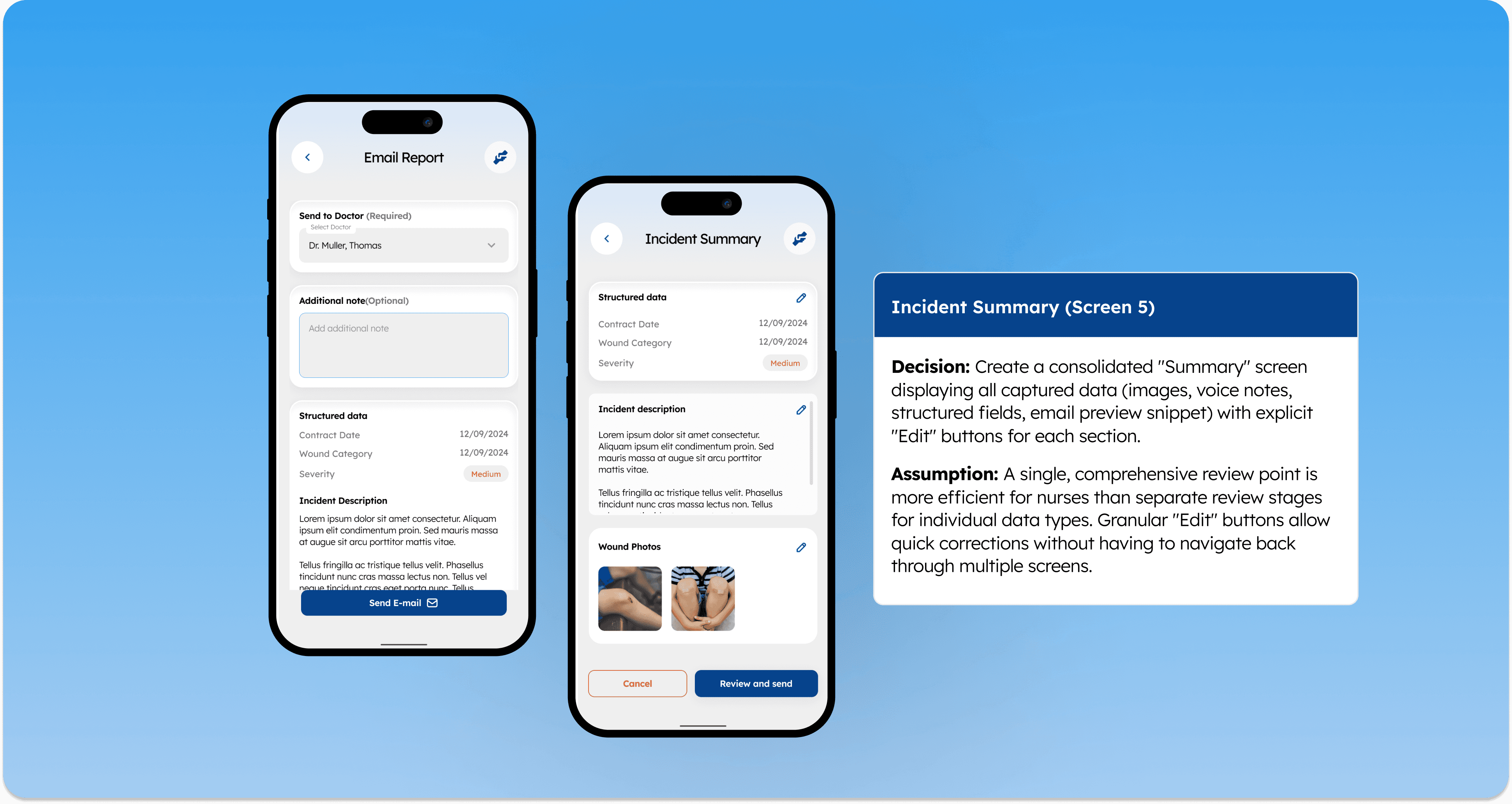
3. Post-Capture Integration and Centralized Review
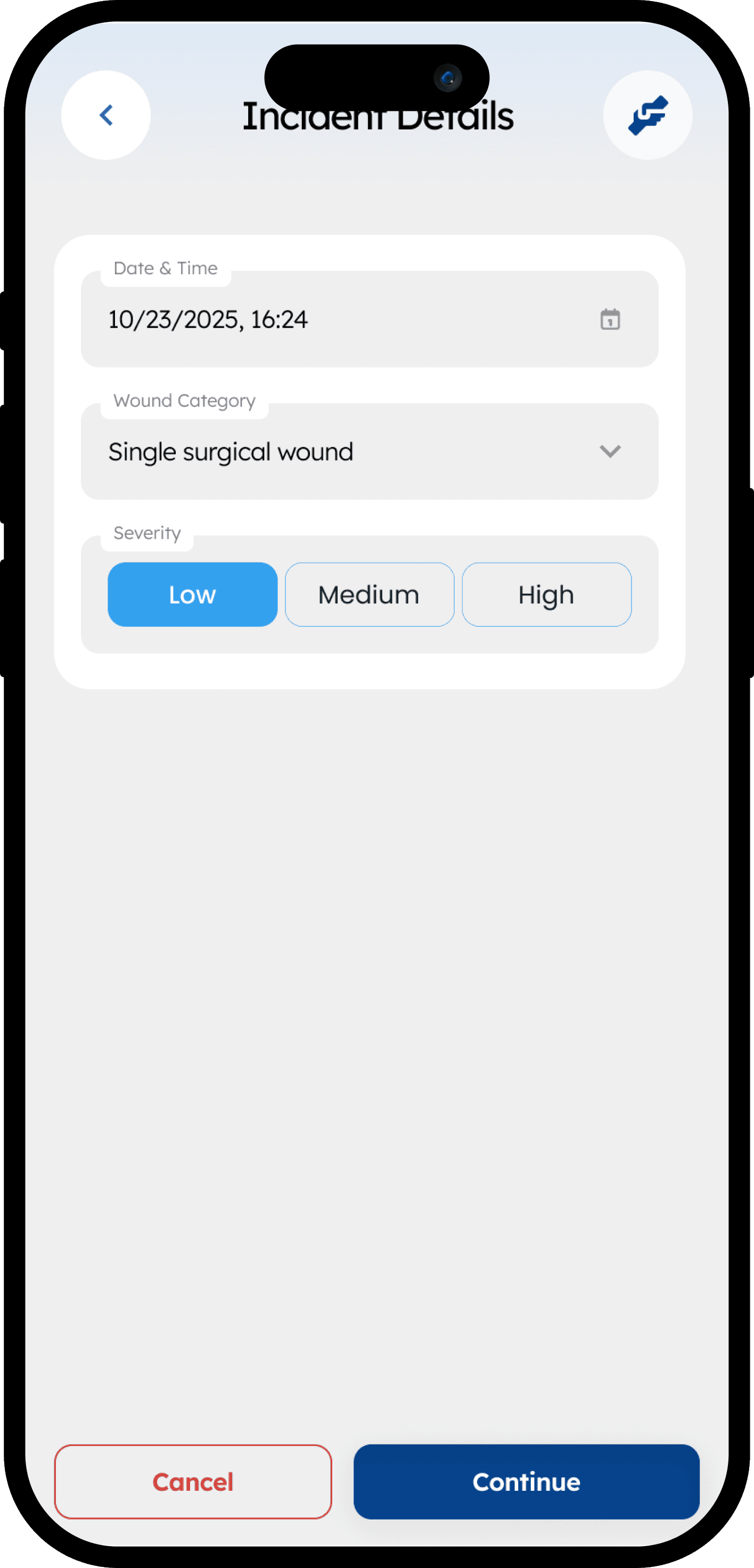
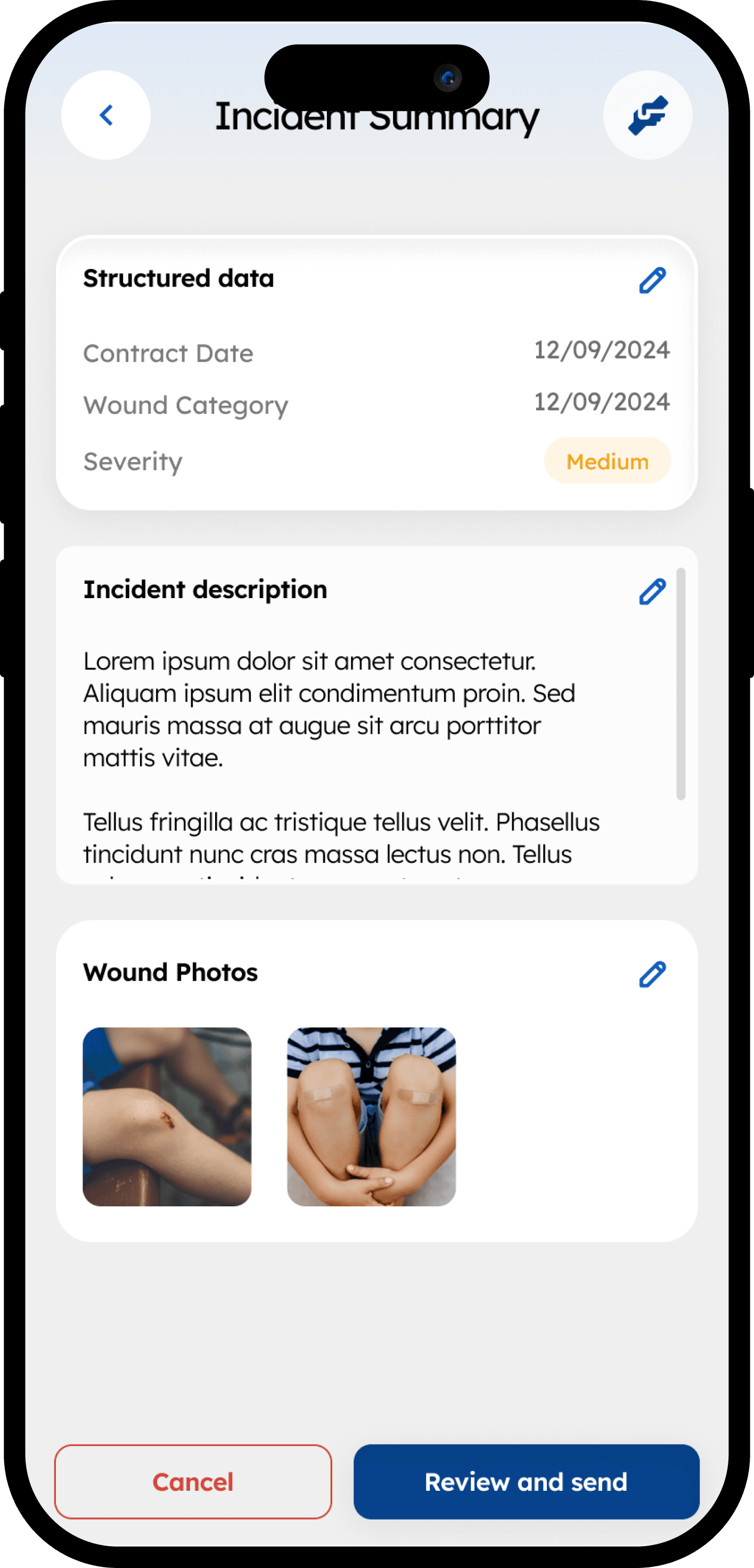
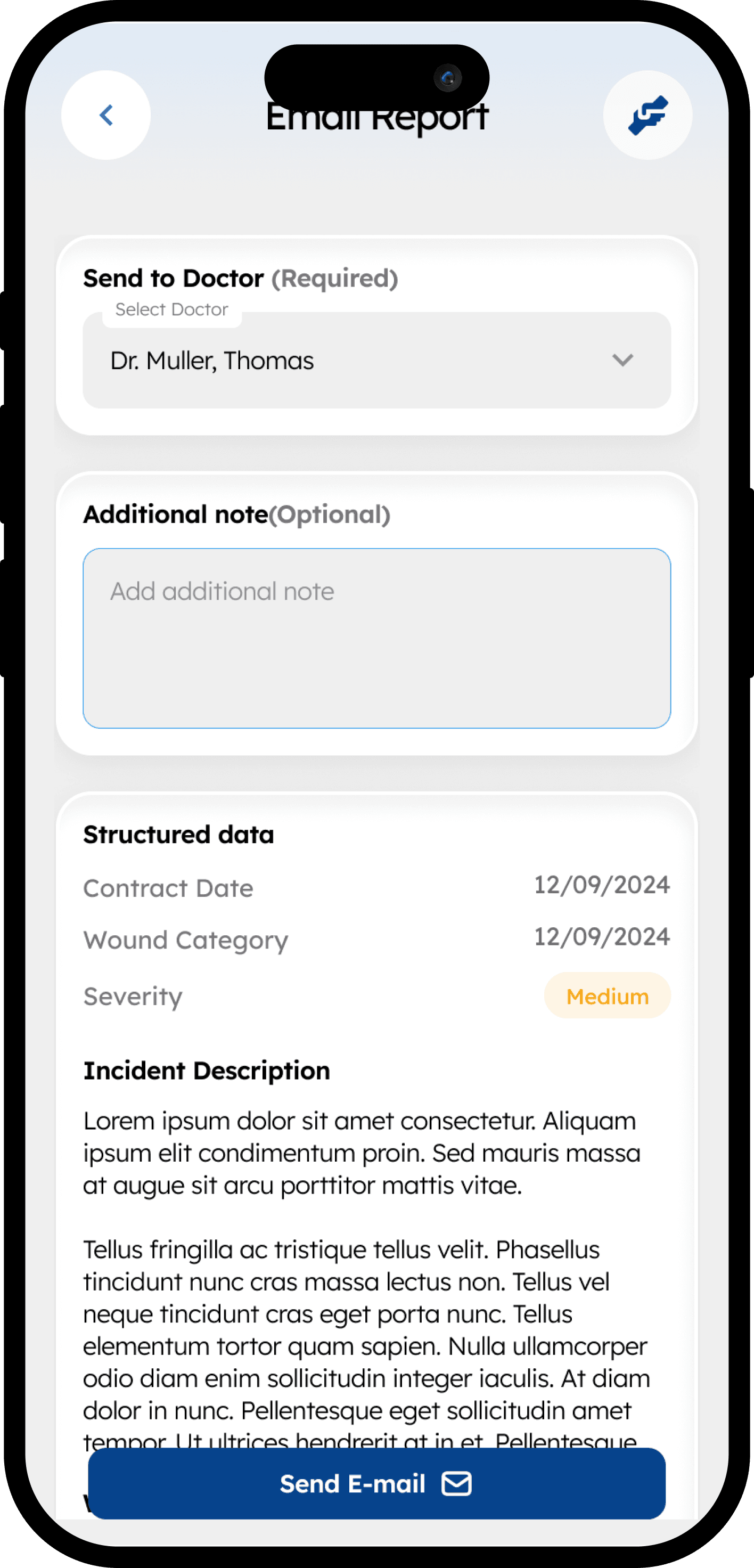
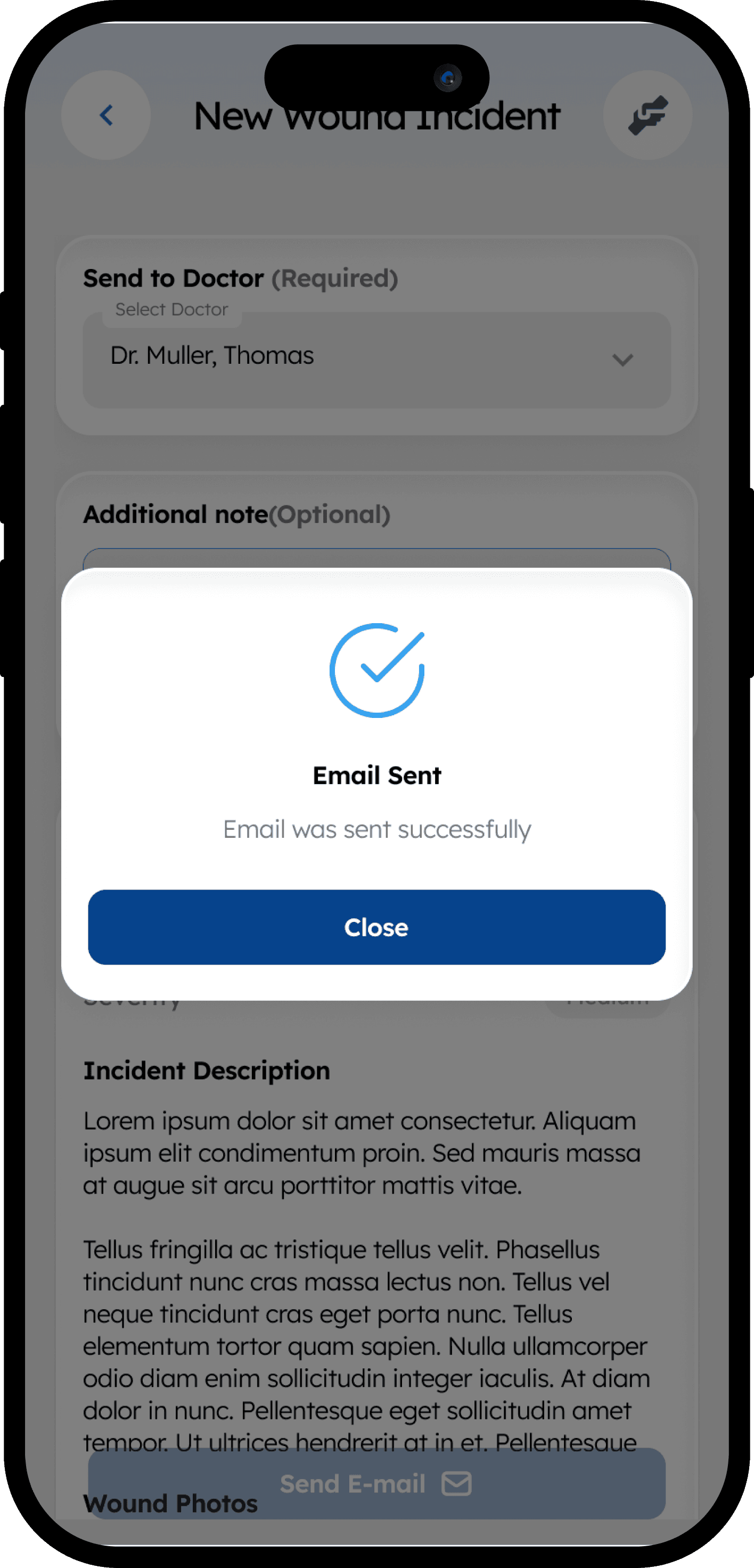
Decision: Once recording stops, the transcribed text is presented first in context with structured data inputs, and finally on a consolidated Summary Page where editing is centralized.
Rationale for Accessibility:
Predictable Interaction: Centralizing edits on a final summary page provides a stable, predictable environment for correction. Jumping back into different "input modes" for every small error can be disorienting. A single "review and refine" step is safer, more accessible, and ultimately faster.
Outcome and Impact
The resulting design provides a streamlined, voice-centric workflow that respects the demanding reality of care home nursing. By prioritizing real-time visual feedback and large, clear interaction patterns, the design ensures the AI tool is a helpful assistant rather than a technical hurdle, enabling accurate reporting in under two minutes.